Table of Contents
5. System settings
5.5. Address and hierarchical structure
5.5.1. Address setting
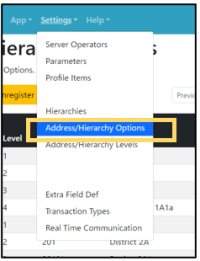 | Step 1:Select “Settings” from the menu and select “Address/Hierarchy Options” from the list. |
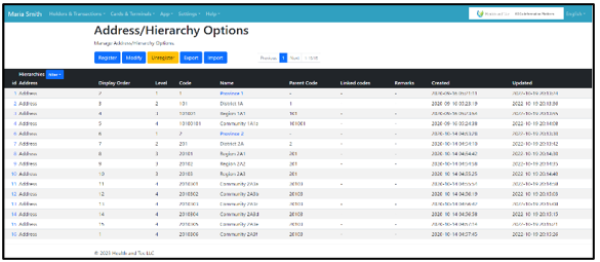 | Step 2:The list of registered addresses will be displayed. |
The list of registered addresses is defined in the “Address/Hierarchy Options” menu in Settings. When adding a new name for an address, select its parent address. (e.g., “district” is the parent of “community”)
If parent is NOT selected, the name of the address is recognized as the top level. Codes are optional. This can be used in the existing code, such as a zip code.
If a code is defined, you can use code to retrieve profile data.

If you want to register a new address, select the parent address, and register it while adding a new address name.