Table of Contents
9. Features for specific clients/country
9.1. Biometric Match Result
9.1.3. Confirm the duplication of Biometric registration
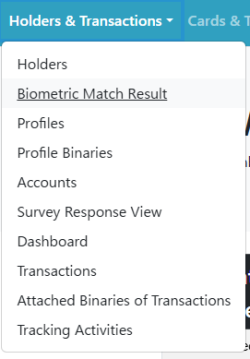 | Step 1:Click the “Biometric Match Result” button on the top page of Holders & Transactions. |
| Step 2:A list of holders registered using biometric authentication will be displayed. When no duplication is found, the Duplication field will show “None”. | |
| Step 3:If duplication is detected, select the appropriate status from the options in the Status field. |
Options of the status:
- • Suspected
- • Under investigation
- • Duplicate
- • No duplication