Table of Contents
3. Browsing the data
3.1. Holders
3.1.4. Confirm details
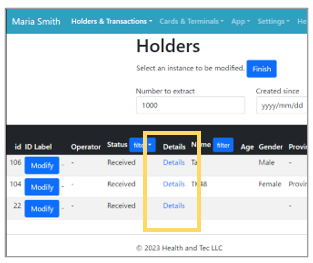 | Step 1: Click “Details” of the holders whose information you want to view. Note: The list displays holders who have registered their profiles through the application. |
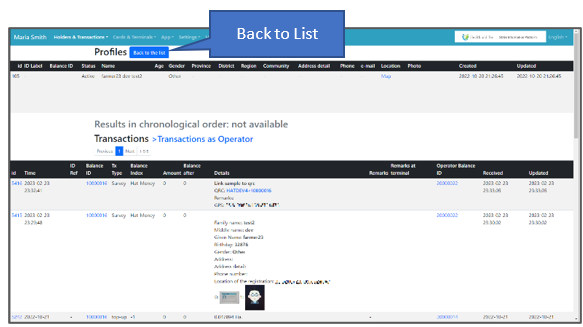 | Step 2: The detailed registered information of the selected holder will be displayed. |