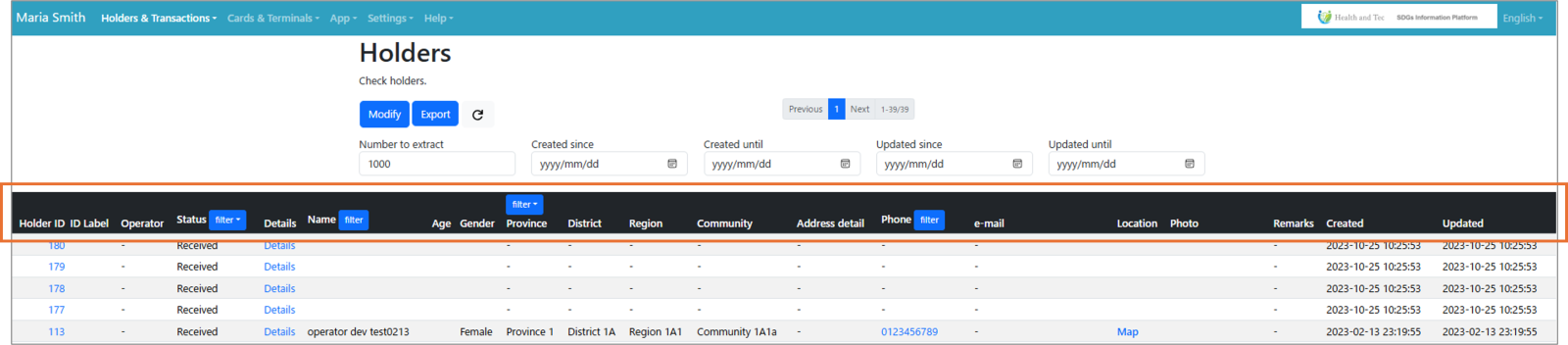
| Item name | Details |
| id | ID assigned to Holder |
| ID Label | (Not used) |
| Operator | Operator who registered the Holder |
| Status | Displays the status of the submitted holder profile |
| Details | Moves to the detail screen. |
| Name | Holder's name |
| Age | Holder's age at registration |
| Gender | Gender |
| Province | Address Category (Prefecture) |
| District | Address Category (City) |
| Region | Address Category (Town) |
| Community | Address (Village) |
| Address detail | Address category (free address information), e.g., next to mosque or landmarks. |
| Phone | Holder's phone number |
| email | Holder's email address |
| Location | Show holder's address in Google Maps |
| Photo | Registered photographs |
| Remarks | Special instructions will be given |
| Created | Date and time of initial registration |
| Updated | Date updated |
| |