Table of Contents
5. System settings
5.9. App Header and Menu Settings
5.9.2. Menu settings
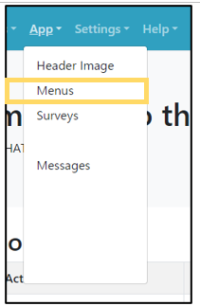 | Step 1:Select “App” from the menu and select “Menus” from the list. |
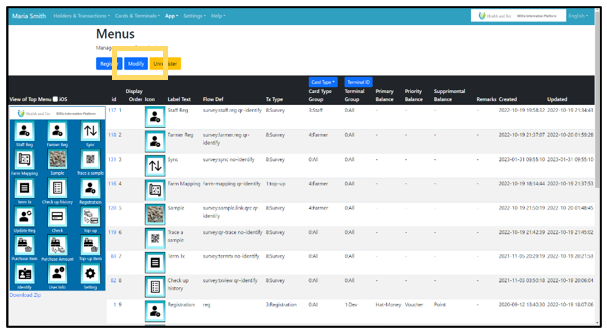 | Step 2:The terminal menu image and list will be displayed. Click the “Modify” button on the top page of Menus. Click “Register“ for new registration, “Modify” for editing, or “Unregister” for deletion. |
Note: It is possible to restrict the menus used in the “Card Type Group”. Card Type Groups restrict the selection of card types on the registration screen. Terminal Groups controls the visibility(show/hide) of each terminal's menu.