Table of Contents
3. Browsing the data
3.3. Survey Response View
3.3.3. Confirm the results of the survey
This page allows you to create a variety of forms for quizzes, surveys, and reports.
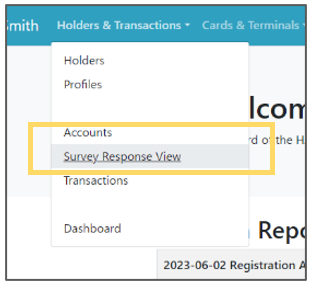 | Step 1: Select “Holders & Transactions” from the menu and select “Survey Response View” from the list. |
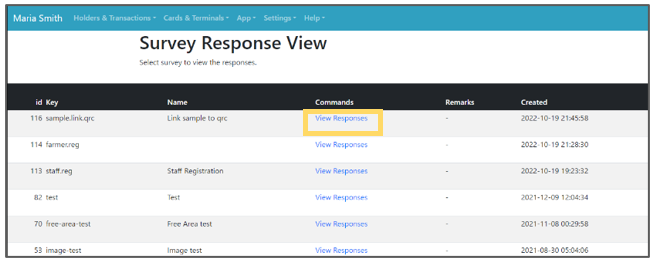 | Step 2: The currently configured questionnaires will be listed. Click “View Responses” in the list to view the responses. |
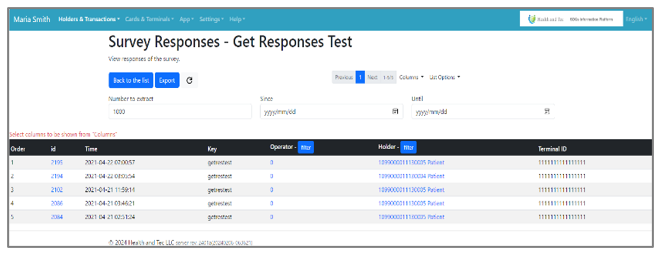 | Step 3: The list of the view responses will be displayed. |