Table of Contents
5. System settings
5.4. Application update
5.4.1. Update the application.
When a new application is released, the application needs to be updated.
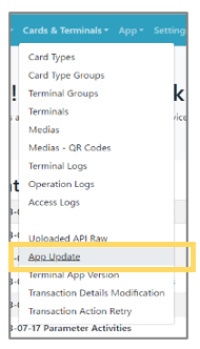 | Step 1:Select “App Update” from the menu and select “Cards & Terminals” from the list. |
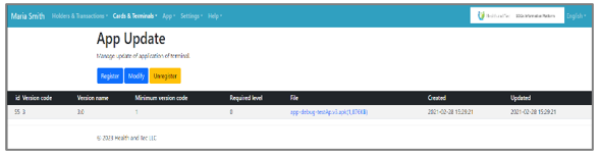 | Step 2:A list displaying details of the currently released applications will be shown. |
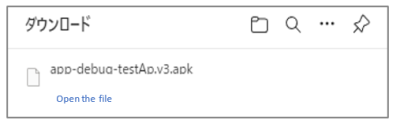 | Step 3:To update the application, click the File to start the automatic download, then install (or update) the downloaded file on the device. |
Note: Please refer to the separate “Setup Guide” for installation instructions.