3. Before starting up
3.9. Change of terminal ID
It is possible to change the terminal ID of the device in use and continue using the service.
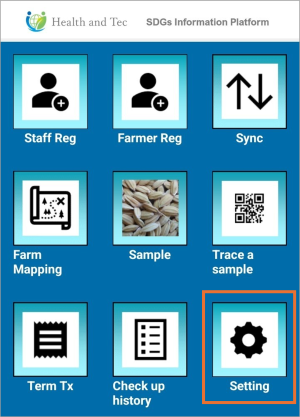 | Step 1:Tap “Setting” on the top screen. |
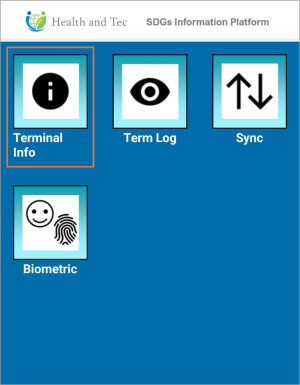 | Step 2:Tap “Terminal Info.” |
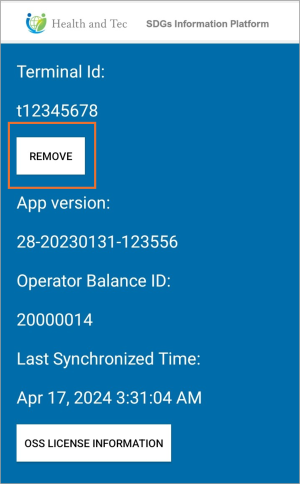 | Step 3:Tap the “REMOVE” button. |
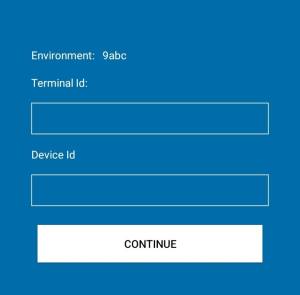 | Step 4: Once the terminal removal is complete, a screen will automatically appear prompting you to enter a new Terminal ID and Device ID.→ Proceed to enter the new Terminal ID and Device ID. |