This is an old revision of the document!
1.7. Change Password
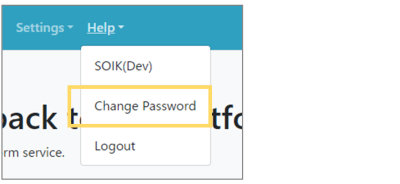 | Step1: Select “Help” from the menu and select “Change Password” from the list. |
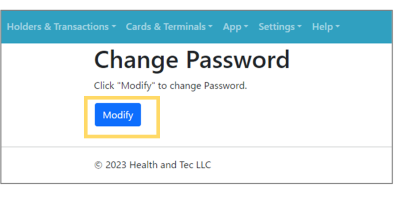 | Step2: Click “Modify” to edit the password. |
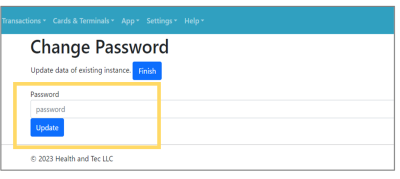 | Step3: Enter the new password (password entry rules are determined by the parameters) and click “Update” to complete the password update. |