5. System settings
5.9. App Header and Menu Settings
5.9.1. Confirm, edit, delete
This page allows you to view, edit, and delete header images.
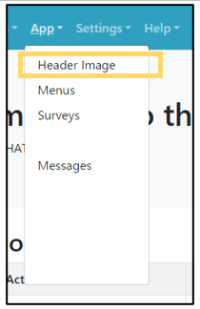 | Step 1:Select “Apps” from the menu and select “Header Image” from the list. |
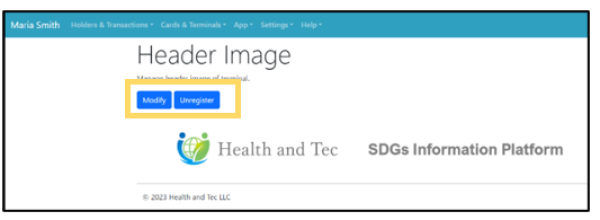 | Step 2:Terminal Header image is displayed. Edit: Click the “Modify” button to edit the image and update the new image.Delete: Click “Unregister” button to delete the current image. |
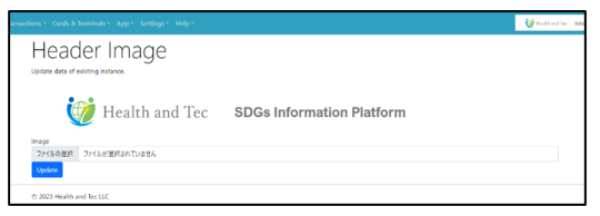 | Step 3:Select the file and upload the new image with the “Update” button. |