1.4. Notes on using multiple tabs
If you open the same environment in multiple tabs and perform a refinement, please be cautious when referencing the information, as the refinement conditions may be automatically applied to all pages.
Example:
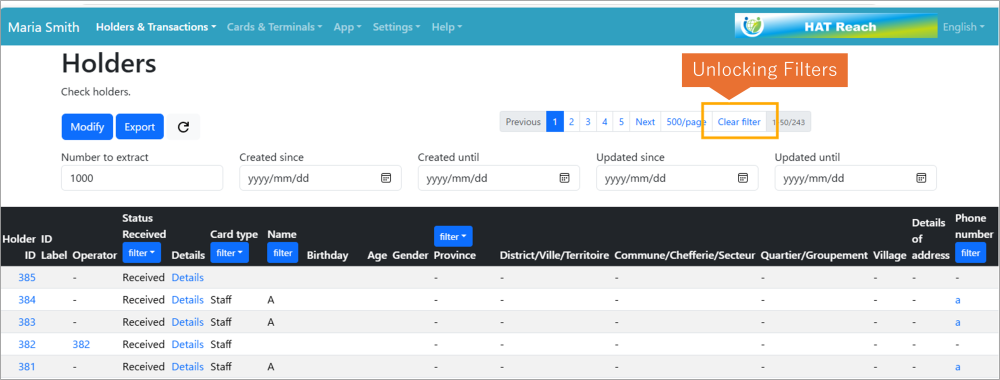
If you open the Holder in Tab 2 separately from the page opened in Tab 1 and use the filter criteria, the Holder information filtered in Tab 2 will also appear in Tab 1. To clear the filter, please click the” Clear filter“ button as below. Note that clearing or unlocking the filter will affect all open tabs.