4. Synchronization
4.1. Synchronization (manual)
Manual Synchronization Procedure.
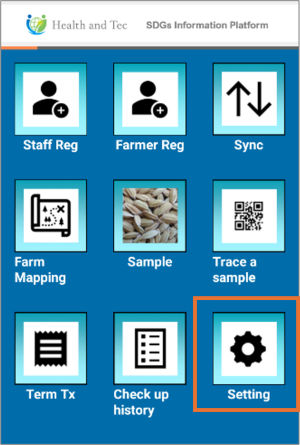 }} }} | Step 1:Tap “Setting” on the top screen. |
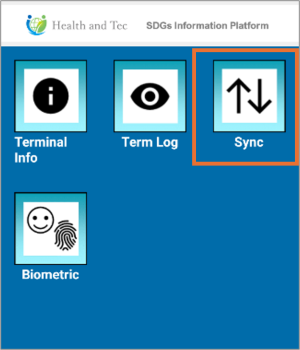 | Step 2:Tap “Sync”. |
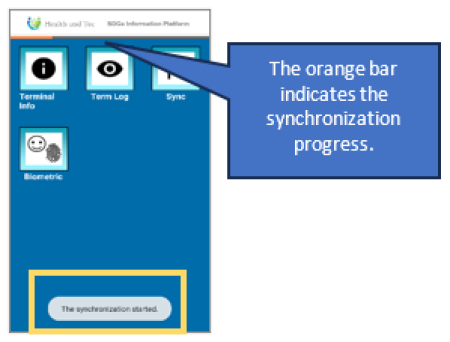 | Step 3:Synchronization will start, and a start message will appear at the bottom of the screen. |
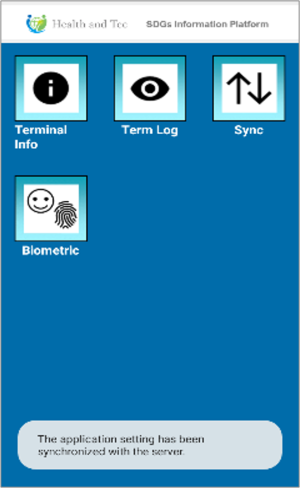 | Step 4:Once synchronization is complete, a completion message will appear at the bottom of the screen. |