5. System settings
5.1. Terminal and Card Management
5.1.2. Terminals and terminal groups
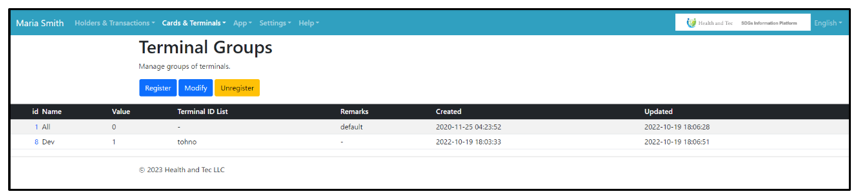 Terminal groups are defined in the “Terminal Groups” menu. Groups are used for menus and pricing as a limitation.
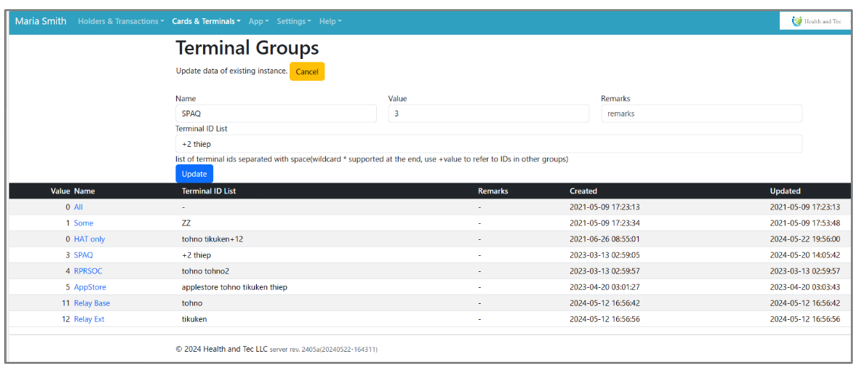 In terminal groups, it is possible to reference IDs from other groups. When defining groups with common members, such as “for Admin” (X) and “for Admin and Associates” (X+α), both groups can include the same list of IDs representing X. In this example, if X is defined as value 1, then X+α only needs the list of IDs and the notation “+1”.
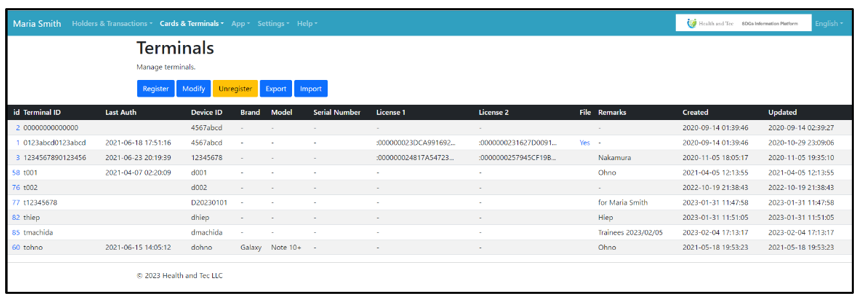 Terminals are managed in the “Terminals” menu. If you need to create an inventory in this system, please use the “Brand”, “Model”, and “Serial Number” fields of each terminal. It is recommended to use the “Remarks” field for the name of the terminal owner. The “Last Auth” field indicates how often the terminal is connected to the Internet.