3. Before starting up
3.7. Biometric usage settings
The use of biometrics is recommended. Before setting up the functionality of the application, please configure the biometric authentication settings in the smartphone's own settings. On the application, it is possible to set whether to use biometrics for authentication.
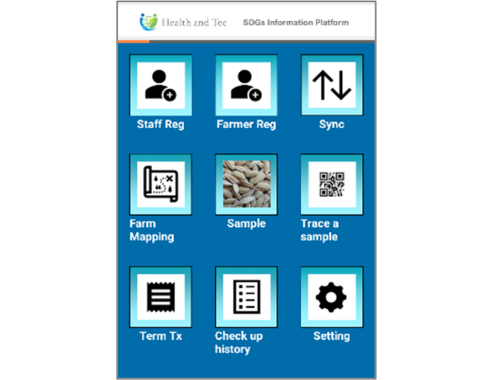 | Step 1:Tap “Setting” button on TOP screen. |
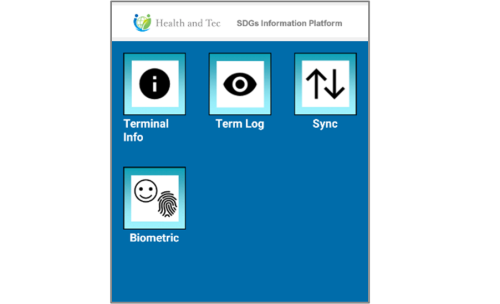 | Step 2:Tap “Biometric” button. |
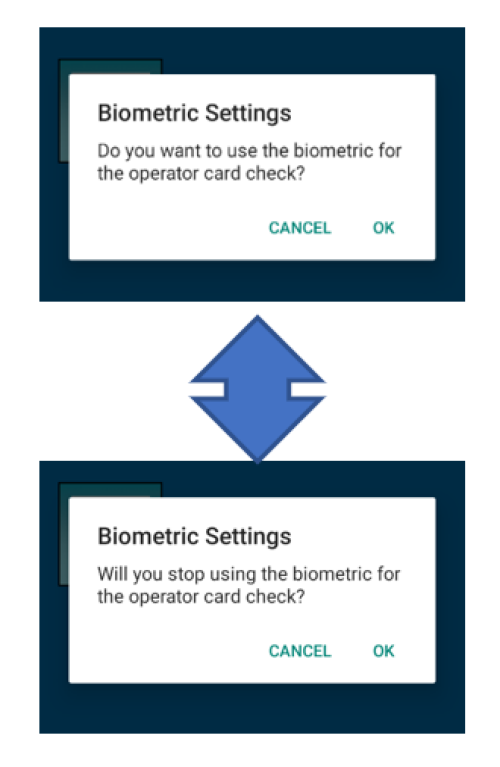 | Step 3:A screen will appear to confirm whether biometric settings are enabled. Press “OK” to proceed with the setup. (If you press “CANCEL,” no changes will be made and the confirmation screen will close.) |