This is an old revision of the document!
1.1. Login
The procedure for exporting data is described below.
Note:: To use the Export function, you must register your email address.
 Step 1: Click the “Export” button and choose the format. Step 1: Click the “Export” button and choose the format. |
 Step 2: When a confirmation dialog box appears, click OK. Step 2: When a confirmation dialog box appears, click OK. |
 Step 3: A URL to download the file will be sent to your registered email address. Step 3: A URL to download the file will be sent to your registered email address. |
 Step 4: Click on the URL in the email to download the file to your PC. Step 4: Click on the URL in the email to download the file to your PC. |
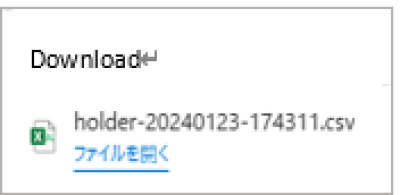 Step 5: Once the download is complete, a dialog box will appear. Click “Open the file” to view the downloaded file. Step 5: Once the download is complete, a dialog box will appear. Click “Open the file” to view the downloaded file. |
 Step 6: The downloaded file will open; you can browse and save it. Step 6: The downloaded file will open; you can browse and save it. |