This is an old revision of the document!
1.6. Header image
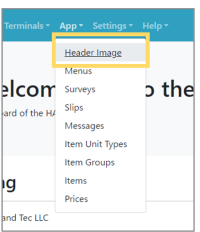 | Step1: Select “App” from the menu and select “Header Image” from the list. |
 | Step2: The image of the header displayed on the application will be displayed. Click “Modify” to edit the image. |
 | Step3: On the edit screen, select the file and click “Update” to replace the image with the new one. |