This is an old revision of the document!
5. System settings
5.9. App Header and Menu Settings
5.9.2. Menu settings
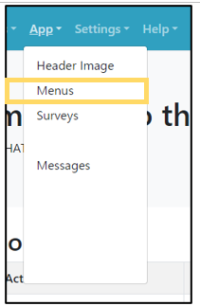 | Step 1:Select “App” from the menu and select “Menus” from the list. |
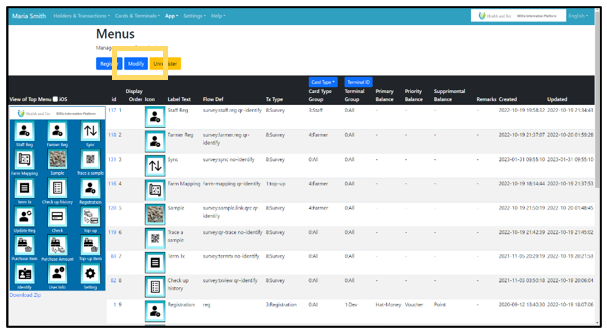 | Step 2:The terminal menu image and list will be displayed. Click the “Modify” button on the top page of Menus. Click “Register“ for new registration, “Modify” for editing, or “Unregister” for deletion. |