This is an old revision of the document!
3. Before starting up
3.9. Change of terminal ID
It is possible to change the terminal ID of the device in use and continue using the service.
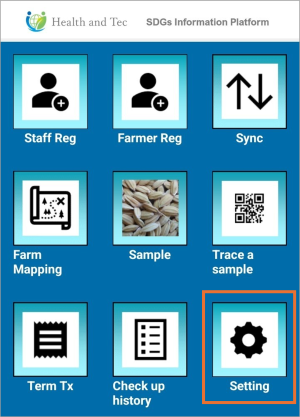 | Step 1:Tap “Setting” on the top screen. |
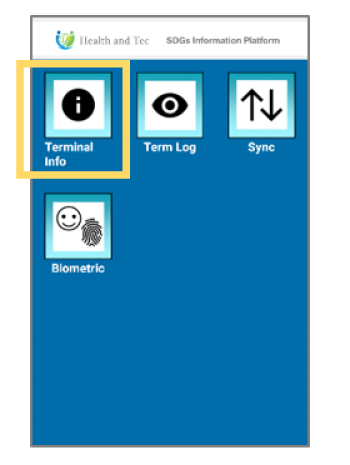 | Step 2:Tap “Terminal Info.” |
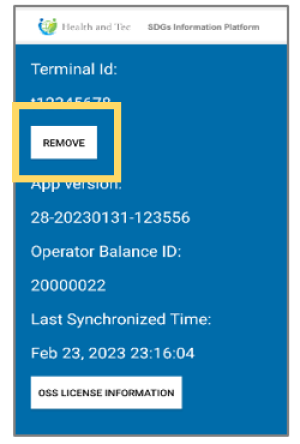 | Step 3:Tap the “REMOVE” button. |
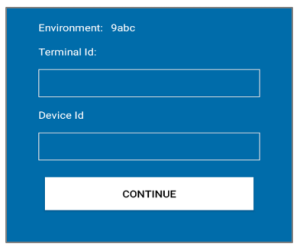 | Step 4: Once the terminal removal is complete, a screen will automatically appear prompting you to enter a new Terminal ID and Device ID.→ Proceed to enter the new Terminal ID and Device ID. |